Strategy
Cold Email Metrics That Matter in 2026 (and Why Open Rates Lie)
By Kaysid Team · · 5 min read
For years, the first number anyone looked at in a cold email campaign was the open rate. In 2026, it's close to meaningless. Privacy features open emails automatically, security scanners click links before people do, and the number that looks best on a dashboard says very little about whether anyone read your email.
This guide covers the metrics that do matter, what healthy looks like for each, how to read them together, and a simple process for figuring out what's wrong when a campaign underperforms.
Why open rates lie
Apple Mail Privacy Protection, introduced in 2021, downloads images (including tracking pixels) for many Apple Mail users whether or not they open the email. Some corporate security systems do the same. The result: inflated open rates that can show "opened" for emails that sat unread, and on other providers, opens that aren't counted because images are blocked.
Open tracking also has a deliverability cost: it adds a remote image to every message, which makes cold email look more like bulk marketing. Many senders now turn it off for cold outreach entirely.
The metrics that matter
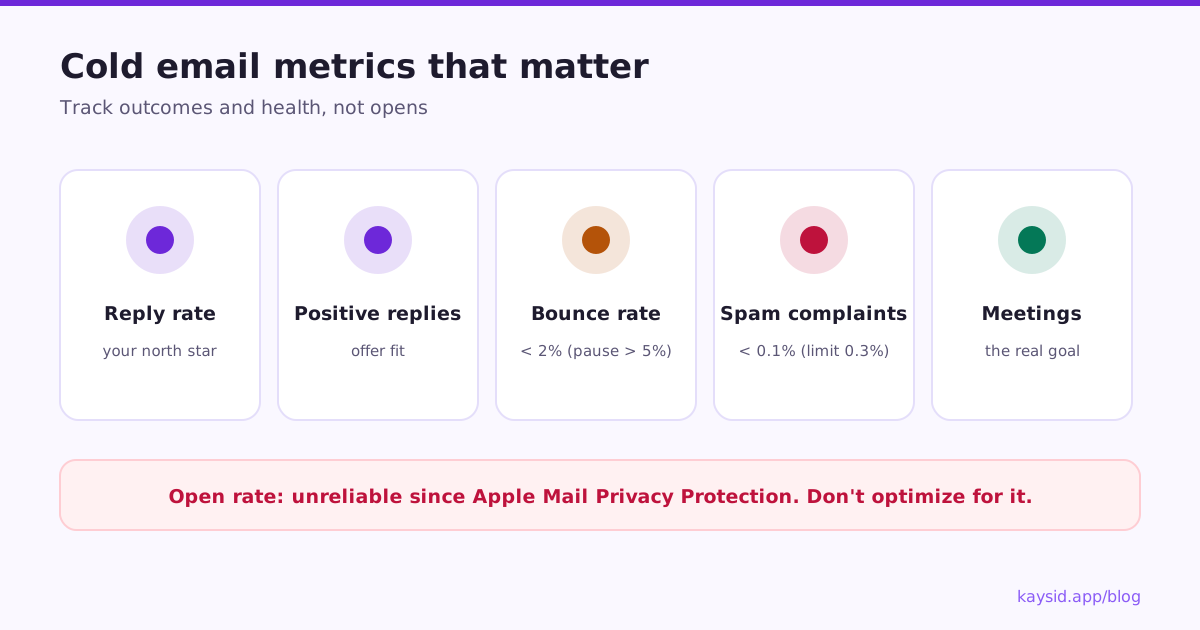
| Metric | What it tells you | Healthy range | Act when |
|---|---|---|---|
| Reply rate | Whether the right people read and care | Varies widely; a few percent is common, well-targeted personal campaigns do much better | It drops suddenly with no change in copy or list |
| Positive reply rate | Whether your offer resonates | A meaningful share of replies | Most replies are "not interested" or "wrong person" |
| Bounce rate | List quality | Under 2% | Over 2%; pause above 5% |
| Spam complaint rate | Whether people feel spammed | Under 0.1% | Approaching 0.3% (Google's limit) |
| Unsubscribe rate | Relevance and tone | Low, relative to replies | More unsubscribes than replies |
| Meetings / outcomes | Whether cold email makes money | Your goal | Replies are fine but meetings don't follow |
Reply rate: your north star
Reply rate = replies ÷ leads contacted. Count people, not emails: a lead who gets three emails and replies once is one reply out of one lead. Exclude automatic replies like out-of-office messages.
Watch reply rate per step too. If email 1 gets almost all replies and follow-ups get none, your follow-ups need a new angle. If follow-ups do well, keep them.
Positive reply rate: the real quality signal
Not all replies are good news. Label every reply (interested, meeting booked, not interested, wrong person, out of office) and track the share that's positive. A campaign with fewer replies but more positive ones is the better campaign.
Bounce rate: the early-warning system
Hard bounces mean the address doesn't exist. A high bounce rate tells mailbox providers you're mailing people you don't know, and they lower your reputation fast. Keep it under 2%, and pause a campaign if it climbs past 5% while you clean the list.
- Verify lists before you import them.
- Re-verify lists older than a few months; people change jobs.
- Be careful with catch-all domains, which accept everything and bounce later.
Spam complaint rate: the one that ends campaigns
Google asks senders to keep spam complaints under 0.3% and recommends under 0.1%. That's one complaint in a thousand. You can see your rate for Gmail recipients in Google Postmaster Tools once you send enough volume. Complaints come from poor targeting, misleading subjects, too many follow-ups and hard-to-find opt-outs.
Reading metrics together: a diagnosis table
| What you see | Likely cause | What to do |
|---|---|---|
| Low replies, low bounces, nothing else wrong | Message or targeting | Rewrite the first line and offer; tighten the list |
| Replies suddenly near zero | Landing in spam | Pause, seed-test, check authentication and volume |
| High bounces | Bad or old list | Pause, verify, remove bounced addresses |
| Many "not interested" replies | Wrong audience or weak offer | Narrow the audience; change the offer |
| Many "wrong person" replies | Wrong roles | Re-target by role; ask for referrals |
| Good replies, few meetings | Weak follow-through | Reply faster; make booking easy |
| Unsubscribes > replies | Irrelevant or too pushy | Fewer follow-ups, better targeting |
A weekly review routine
- Check bounces and complaints first. Anything abnormal? Pause and fix before anything else.
- Check reply rate per campaign and per step, compared with last week.
- Read a sample of replies and label them.
- Look at positive replies → meetings. Are you following up fast enough?
- Pick one change to test next week: a subject, an opener, an offer, or an audience.
How to calculate each metric
| Metric | Formula | Count |
|---|---|---|
| Reply rate | People who replied ÷ people contacted | People, not emails; exclude auto-replies |
| Positive reply rate | Positive replies ÷ all replies | Use labels: interested, meeting booked |
| Bounce rate | Hard bounces ÷ emails sent | Per campaign, and per mailbox |
| Spam complaint rate | Complaints ÷ emails delivered | From Postmaster Tools for Gmail |
| Meeting rate | Meetings booked ÷ people contacted | Your real conversion metric |
Measuring per step and per version
Campaign-level numbers hide the useful detail. Look at each email in the sequence separately: if email 1 gets most replies and email 3 gets nothing but unsubscribes, shorten the sequence. If you're testing two versions of a subject or opener, compare replies per version, and wait for a few hundred sends each before deciding.
Metrics in Kaysid
- Each campaign shows recipients, delivered, replies, bounces and per-step and per-version results.
- Replies are detected automatically in every connected mailbox, out-of-office replies are ignored, and you label them in one inbox.
- A campaign pauses itself if its bounce rate passes 5%, and tells you why.
- Open and click tracking are optional per campaign, so you can turn them off for better deliverability.
Frequently asked questions
What is a good reply rate for cold email?
It varies widely by industry, offer and list. A few percent is common for broad campaigns; tightly targeted, genuinely personal campaigns often do much better. Compare with your own previous campaigns.
What is a good open rate for cold email?
Open rates are unreliable in 2026 because privacy features and security scanners load tracking pixels automatically. Judge campaigns by replies and positive replies instead.
What bounce rate is acceptable for cold email?
Under 2%. Above 5%, pause the campaign and clean your list before your domain's reputation suffers.
What spam complaint rate is too high?
Google's limit is 0.3% and its recommendation is under 0.1%. Above that, Gmail deliverability suffers.
Should I track opens in cold email?
Many senders turn open tracking off: it's unreliable and adds a tracking image that can hurt deliverability. Replies are a better measure.